SuPAR Composer – Turn CAD Data into Augmented Reality Inspections
Prepare, configure, and preview AR inspections on PC
Downloads & Resources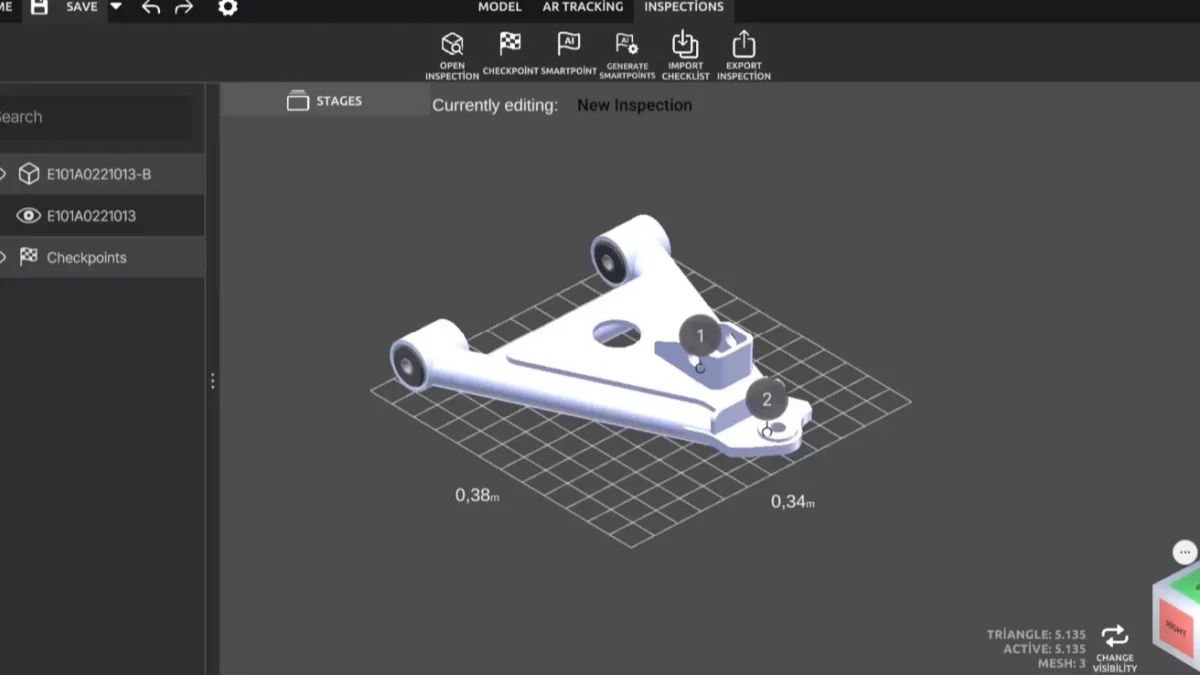
SuPAR Composer is the desktop companion where every AR inspection project begins. Import your native CAD data, position and optimize the model, and define the exact checkpoints your operators will verify on the shop floor — without recreating a single 2D drawing.
Once a project is prepared in Composer, it publishes straight to the SuPAR iPad app and Web Viewer, turning your existing CAD into a live augmented-reality overlay for first-article, incoming, and in-process quality inspection.
Overview
SuPAR Composer is the PC-based preparation tool of the SuPAR suite. It takes the CAD data you already have, generates the tracking geometry that allows SuPAR App to recognise the physical part on the shop floor, and lets quality teams define inspection checkpoints and build reusable inspection templates. The preparation work happens once in Composer, so the operator running the check on a tablet follows a structured template rather than setting up the AR inspection themselves.
How does Composer turn CAD data into an AR inspection?
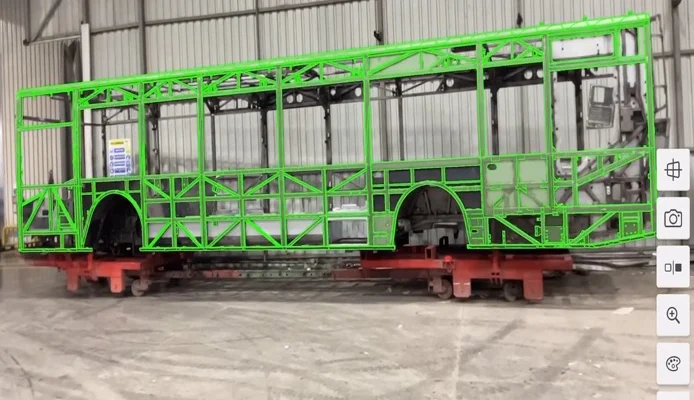
Composer reads your existing CAD model and derives tracking geometry from it, so assembly components can be recognised and followed while the inspection runs. You then place checkpoints on the geometry and arrange them into a template that guides the inspector through the points that matter, in the order they should be checked.
Because the structure is defined in advance, the same inspection content can be reused across shifts, sites and operators. This can help make inspections more consistent and reduce the variability that comes from each inspector interpreting a drawing in their own way. What each operator sees on the shop floor is the template your quality team authored, not an ad hoc check.
What can you do in SuPAR Composer?
Generate tracking geometry from CAD. Composer creates the reference geometry directly from your CAD data, with assembly components identified in advance so SuPAR App can locate the physical part during the inspection.
Define checkpoints and build guided templates. Set out what needs to be checked and in what order. The resulting template walks the operator through each checkpoint, which helps keep complex parts manageable and inspections comparable between people.
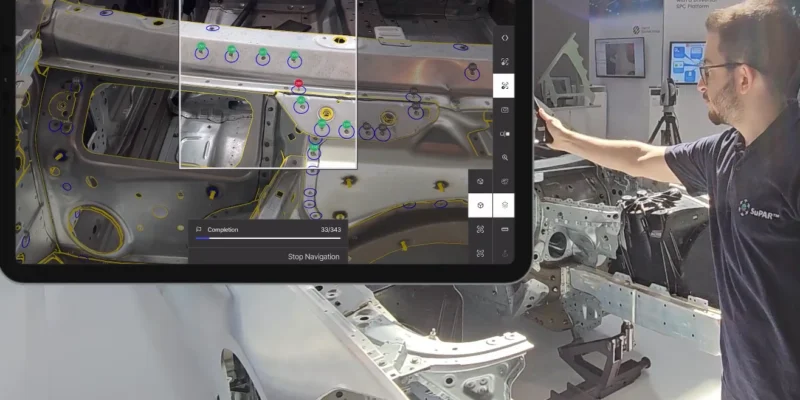
Set up AI-assisted target checks. Recurring target types such as spot welds, holes and studs can be included in the template so that SuPAR AI checks them during the inspection, within the scope those modules have been validated for.
Prepare content for the whole workflow. What you build in Composer carries through to SuPAR App for inspection and SuPAR Web Viewer for review and sharing.
Which CAD formats does Composer support?
Composer works with both native CAD formats and neutral exchange formats, so inspection content can be prepared from the data your engineering team already produces:
| Type | Formats |
|---|---|
| Native CAD | CATIA, PTC Creo, Siemens NX (Unigraphics), SolidWorks, Inventor |
| Kernel and modelling | ACIS, Open CASCADE, Parasolid, Rhino |
| Neutral exchange | JT, STEP, FBX, STL, VRML, WRL |
Additional formats are supported beyond this list. If a specific format or CAD version is required for your project, it is worth confirming it during evaluation rather than assuming coverage from the general list.
How does Composer fit into the inspection workflow?
- Prepare in Composer. Import the CAD data, generate the tracking geometry, place checkpoints and assemble the inspection template.
- Inspect in the App. On a tablet, SuPAR App overlays nominal CAD geometry onto the physical part and guides the operator through the template, with findings captured digitally at the point of inspection.
- Review in Web Viewer. Results can be opened in SuPAR Web Viewer directly on the 3D model, so reviewers see findings in the position they relate to.
Splitting the work this way keeps the technical preparation with the people who own the CAD data and the inspection plan, while the shop floor step stays focused on carrying out the check.
Why do quality teams use Composer?
- Preparation happens once. A template built for a part can be reused rather than rebuilt for each inspection.
- Tracking is defined in advance, so the physical part can be recognised without setup work on the line.
- Inspection content is structured, which supports more comparable results across operators and shifts.
- AR knowledge stays in the template. The operator follows a defined sequence rather than configuring the AR inspection.
- Existing CAD data is the input, with broad native and neutral format support.
Where is SuPAR Composer used?
Composer prepares inspection content for the same applications SuPAR supports on the shop floor:
- Body in White setups, including stud, bead and spot weld targets
- Incoming and supplier parts inspection
- Welding and control fixtures
- Mould, die and plastic part inspection
- Logistic racks, grippers and handling units
- Design reviews and physical to digital mock-up comparison for prototypes
It supports teams across automotive, aerospace and defence, heavy industry, agricultural and construction machinery, energy, mining, and injection moulding. Suitability depends on part geometry, available CAD data and inspection conditions rather than on the industry alone.
Frequently asked questions
What is SuPAR Composer?
It is the PC-based preparation tool in the SuPAR suite. Composer converts existing CAD data into AR inspection content by generating tracking geometry and letting quality teams define checkpoints, annotations and reusable inspection templates for use in SuPAR App.
What is tracking geometry?
It is the reference geometry Composer derives from your CAD model so that SuPAR App can recognise and follow the physical part during an inspection. It is prepared once, in advance, which removes that setup step from the shop floor process.
Do inspectors need Composer to run a check?
No. Preparation is done in Composer by the team that owns the CAD data and the inspection plan. The shop floor team runs the inspection in SuPAR App by following the template that was prepared, without authoring content themselves.
Which CAD formats does Composer support?
Composer supports native CAD formats including CATIA, PTC Creo, Siemens NX, SolidWorks and Inventor, along with neutral formats such as JT, STEP, FBX, STL, VRML and WRL, plus further formats beyond this list. Specific format and version requirements are worth confirming during evaluation.
Can I control exactly which features are checked?
Yes. You define the checkpoints and their order in the template. Recurring target types such as spot welds, holes and studs can also be included so that SuPAR AI checks them during the inspection, within its validated scope.
Use Cases
First Article Inspection (FAI)
Prepare PPAP-ready inspection projects straight from production CAD, so first-article checks follow the engineering intent exactly.
Incoming Goods Inspection
Build reusable checkpoint sets to verify supplier parts against the master CAD the moment they arrive.
In-Process Quality Control
Define critical-to-quality features once and let operators confirm them in AR at each production stage.
Assembly Verification
Overlay the full assembly CAD to confirm components are present, correctly oriented, and complete before sign-off.
Tooling & Fixture Setup
Validate jigs, fixtures, and tooling against design data to catch deviations before they reach the line.
Operator Training & Work Instructions
Turn CAD checkpoints into clear, visual AR guidance that new operators can follow without 2D-drawing expertise.tech
Key Benefits
- Reuse native CAD as the single source of truth — no manual 2D drawing prep
- Import CATIA, JT, CGR, and OBJ files directly
- Define inspection checkpoints and annotations once, reuse them on every part
- Publish projects instantly to the SuPAR iPad app and Web Viewer
- Cut inspection setup time and get operators measuring sooner
- Standardize inspection steps across teams, shifts, and sites
Technical Details
Supported CAD & 3D Formats
• Native import: CATIA, JT, CGR, and OBJ
• Large multi-part assemblies supported with model optimization
• SuPAR Composer supports the following 3D file formats:
JT, STEP, FBX, STL, VRML, WRL, CATPart, CATProduct, SLDPRT, IAM, IPT, IFC, ACIS, Open CASCADE, Parasolid, Rhino, and NWD.
Inspection Project Preparation
• Position and align the CAD model for accurate AR overlay
• Define inspection checkpoints on critical-to-quality features
• Add annotations, notes, and pass/fail criteria per checkpoint
• Optimize and lightweight models for smooth tablet performance
• Save reusable inspection templates for recurring parts
Publishing & Integration
• One-click publish to the SuPAR iPad app
• Share inspections through the SuPAR Web Viewer — browser-based, no install
• Centralized distribution of projects to operators across sites
Capabilities
- Automatic tracking geometry generation from CAD data
- Define tracked and highlighted assembly components
- Create inspection templates with guided checkpoints
- Digital assembly instructions and checklists
- Free 3D inspection viewer mode
- Partial tracking for step-by-step assembly guidance
Frequently Asked Questions
Everything you need to know about SuPAR augmented reality inspection.
Can I request a live demo of SuPAR?
Yes. Contact us through the Request Demo form or email info@cdmvision.com to schedule a personalized demonstration. We can show SuPAR working with your specific parts and use cases.